Kohl's · UX strategy & data visualization
Mapping out the associates' experience in store
Understand the interrelationship between people, process, payroll and devices.
A cross-functional team travelled to stores across Kohl’s regions to shadow and track a day in the life of Kohl’s sales associates. The journey showed us how dynamic the store environment is and how flexible and fantastic our associates are — and it uncovered many opportunities to improve associates’ work lives and customers’ shopping experience.
My role
From research plan to the boardroom
I was part of a core team of 12 experience designers, store operations engineers and UX researchers. I was involved end to end: the research plan, in-store data collection, analysis, visualization and stakeholder presentations.
We delivered an associate journey map, an interactive map and two storyboards, used by the executive leadership team to inform priorities, decisions and future annual capital planning.
In-store research
Step 1: Shadowing
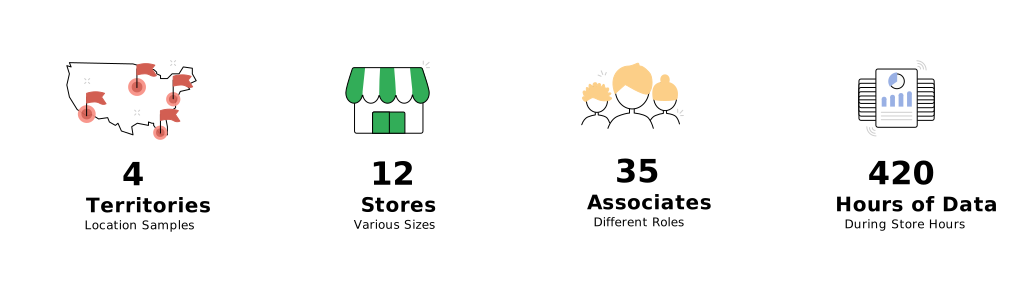
Following the research plan, we split into 4 groups, each with a UX researcher, a designer and a store operations engineer. Each group covered one territory and observed 3 stores, shadowing associates across three shifts from around 9am to 9pm, in different roles and departments.
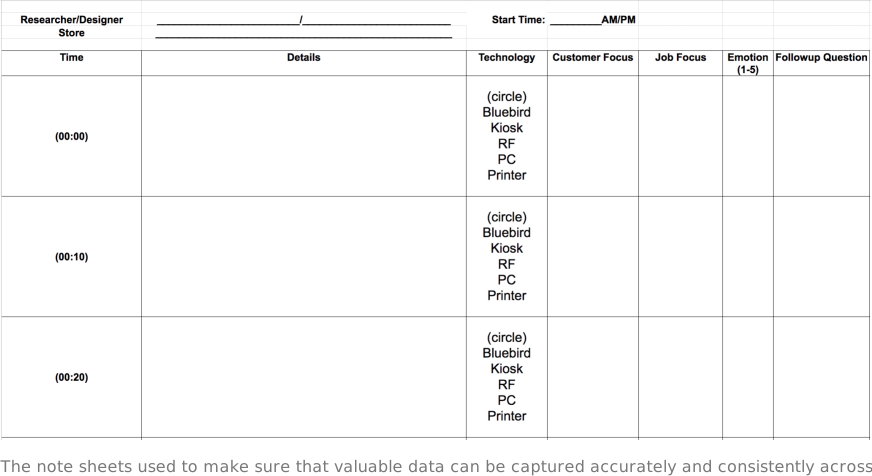
We captured insights, notes and questions on a form we designed beforehand, and ended each shift with a short interview about the associate’s day-to-day work.
Affinity diagram
Step 2: Data analysis
- hours of in-store work observed
- 420
- stores across 4 territories
- 12
- associates shadowed and interviewed
- 35
That was a lot of data to clean up — notes, time and location stamps for every task, and all the photos from the shadowing sessions. Back in the office, I helped design the affinity-diagram poster that brought most of our notes together. Members of 2 design studios and 3 teams went through every store’s data, one by one. Analysis took about a month.

Design solution
Step 3: Information visualization
With the data organized, the design team explored ways to present it to stakeholders, going back and forth with research to keep it easy to understand and accurate. We delivered three pieces, each capturing the associate experience at a different scale:
- An associate journey map giving a high-level view of daily tasks.
- An interactive map zooming into one store, one associate, one typical shift.
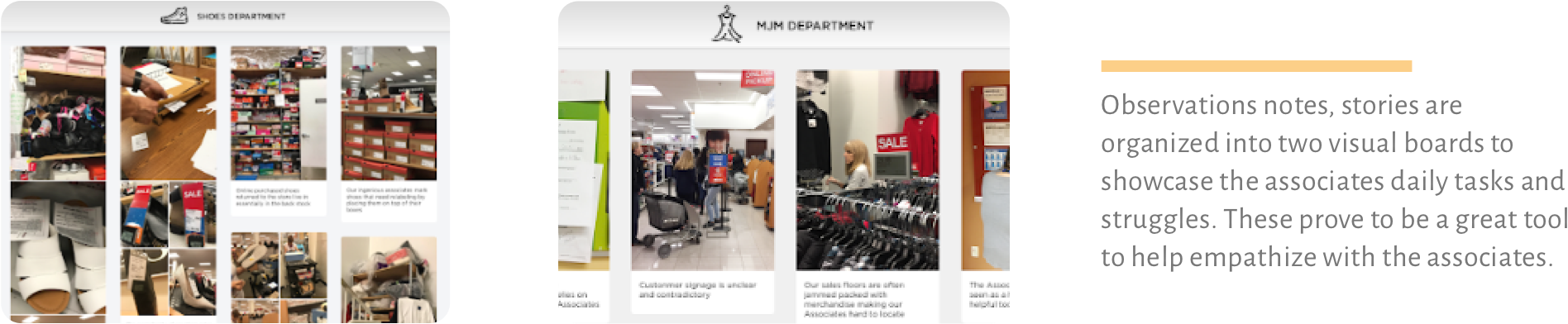
- Two visual boards digesting the pain points for store associates.
For confidentiality, only screenshots and highlights are shown.
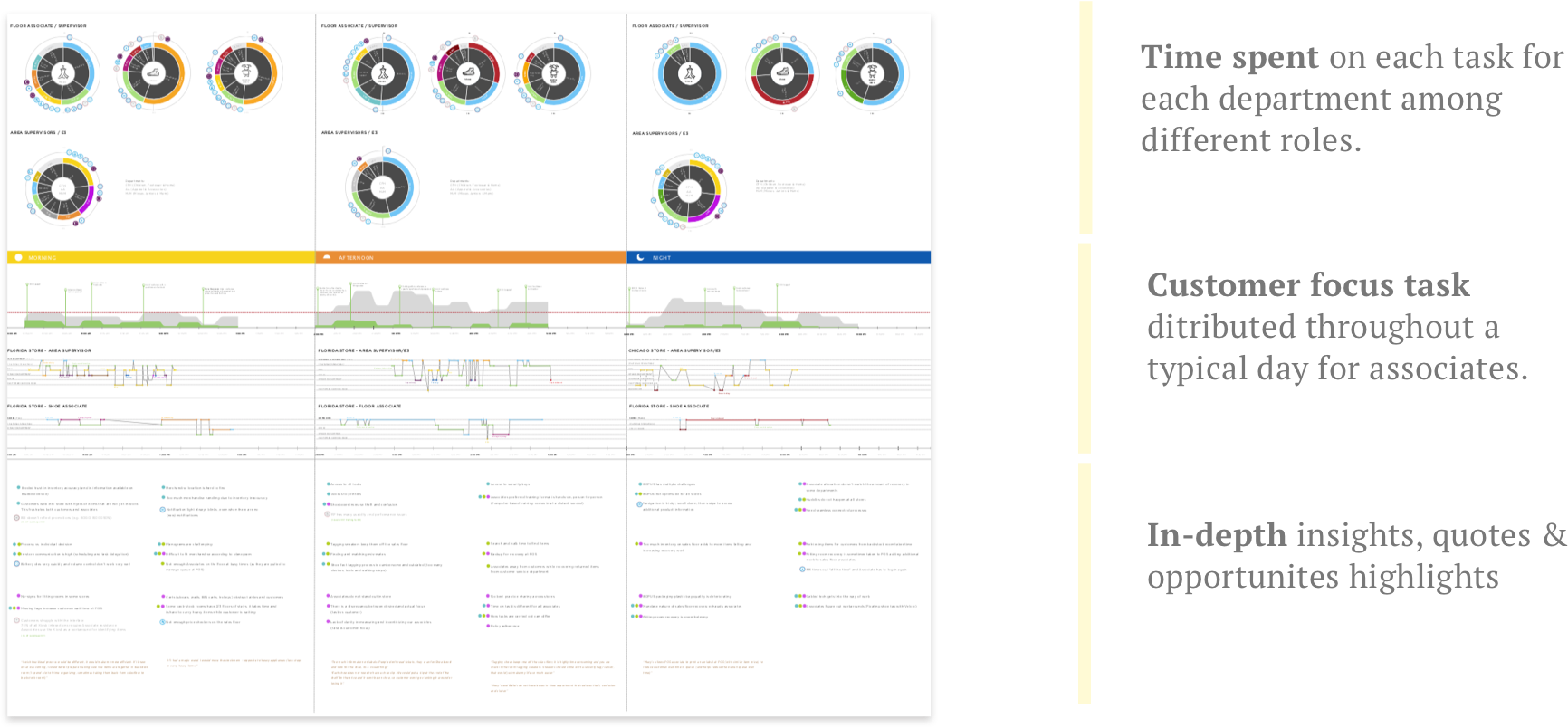
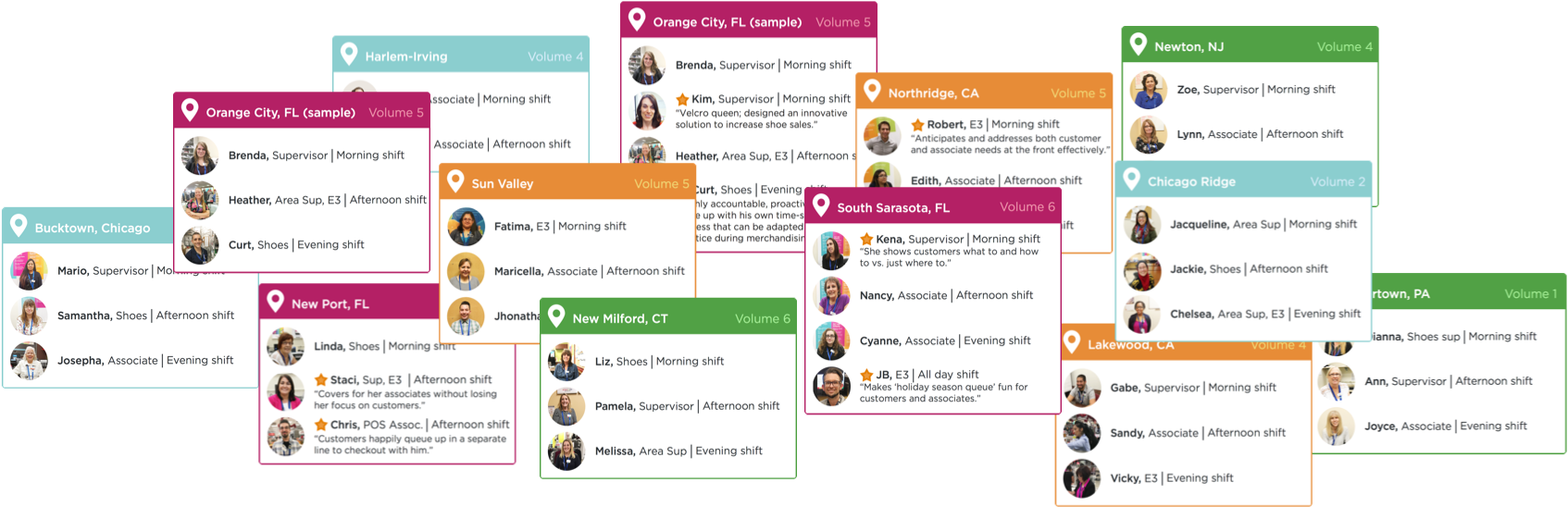
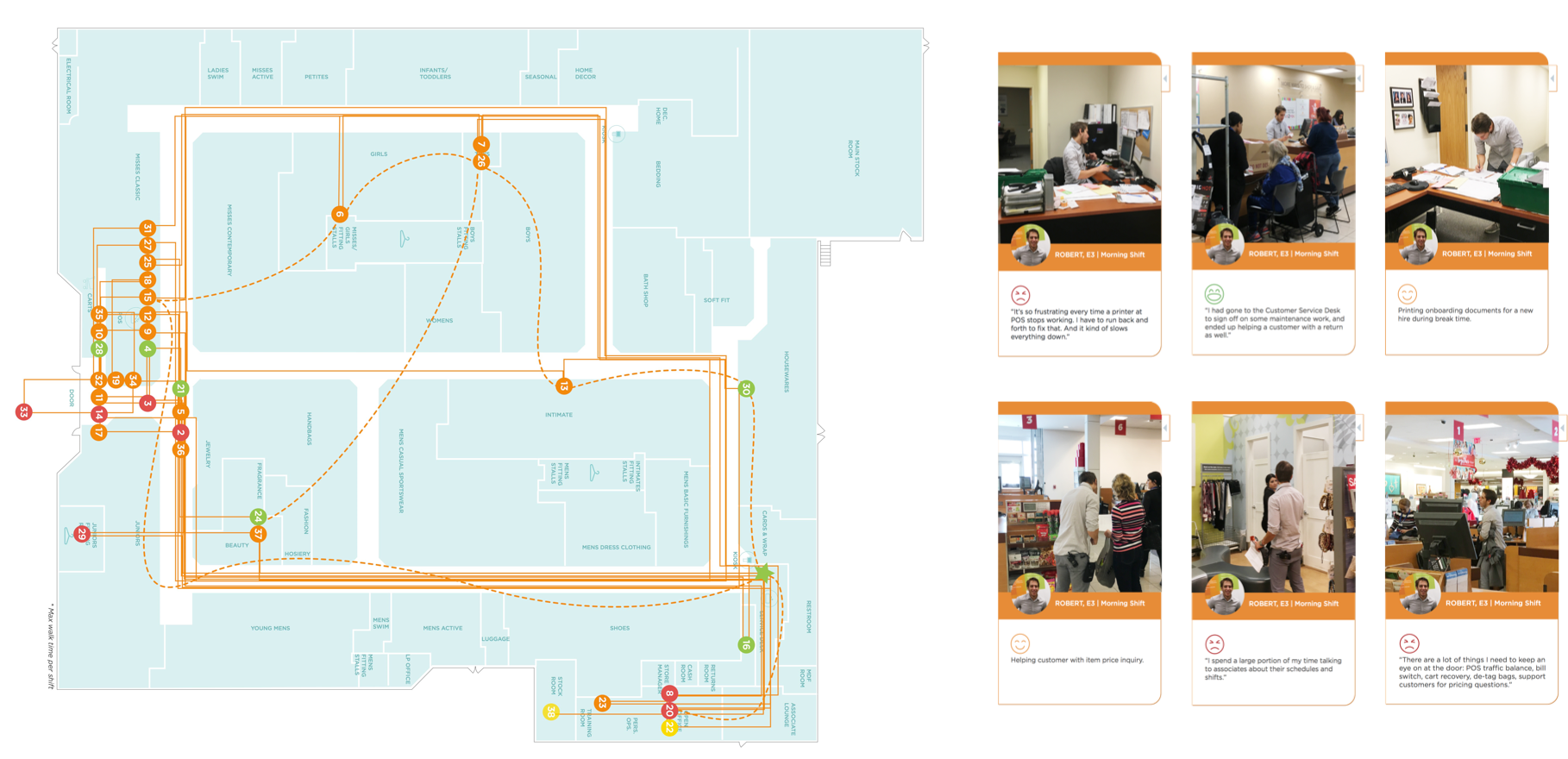
Every associate we shadowed is documented in the journey map. These cards show what we factored in: roles, departments, timelines, store sizes and locations.
I designed the interactive map in Axure to show one associate’s shift at one store. It traces their walking path, with each point a task. Colour shows whether the associate felt frustrated, and clicking a point reveals the task, emotions and highlights.
Presentations
Step 4: Stakeholder share-outs and iterations
Presenting the journey map was a great learning experience. With so many stories in it, I prepared different versions for different audiences. For store operations, who know associates’ daily struggles well, I focused on the data patterns and on the design team’s insights and recommendations. For product and business teams, I leaned into associates’ stories and frustrations, to show how technology could better support their jobs.
After each presentation we reflected on the questions and updated the map — 8 versions in total.
Reflection
Experience impact, and what's beyond
I feel fortunate to have been part of such a foundational project, and grateful that Kohl’s took the time and resources to step back and think about the bigger picture before moving forward.
The project wrapped in early 2017, but partners kept coming back for its data, stories and insights. It became a showcase for user-centered thinking, our research team continued with sub-topic projects based on it, and it helped the design team prioritize future work and helped new designers empathize with associates.
It’s hard to put an exact KPI on the impact. But everyone who worked on it was very proud of what we did.
Tools
- Paper & pencil
- Axure
- Sketch
- Google Slides
- Camera
- Sneakers
Methods
- Shadowing
- Interviews
- Affinity diagram
- Data visualization
- Love letters
Skills
- Systems thinking
- Presentation
- UX research
- Experience mapping
- Storytelling