Kohl's
Buy online, ship to store
Helping shoppers choose where and when to pick up, and arrive confident — from online to in store, across four channels.
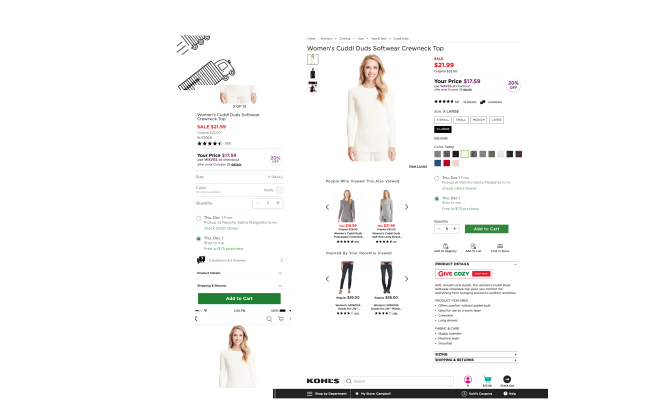
Kohl’s introduced buy online, ship to store to improve shopping both online and in store. It was an omni-channel project spanning four channels: desktop, mobile browser, native app and tablet.
At its core, this was a question of where and when: helping someone choose a store and a date that work for them, then giving them everything they need to show up with confidence.
My role
Four verbs
I explored content strategies and wireframe concepts to translate this new service for every kind of customer, across channels.
I evaluated the touchpoints on the customer journey — when customers want to be informed, and in how much detail — with 5 channel designers and 2 product managers.
I examined whether the experience stayed consistent in store and online, balancing business goals with customer behavior.
I empowered product and engineering to ship the mobile experience smoothly for the pilot launch and beyond.
Customer review
People think it is…
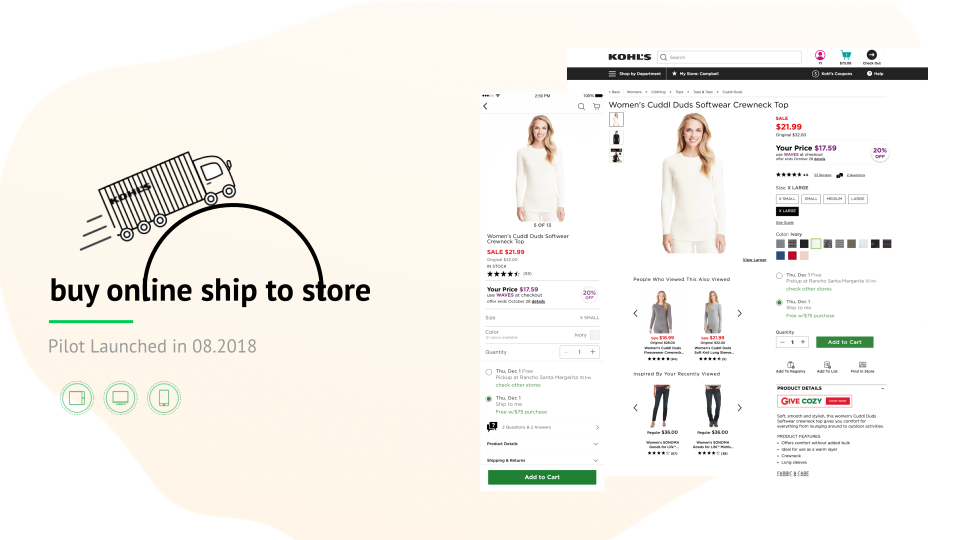
”Perfect solution to obtaining a blouse in my favourite color where my size wasn’t available in store. Efficient and reasonably fast."
"I love it! It was quick, easy, and I was able to get my size even though it was not in stock at the local store."
Design opportunity
Bridge the gap between customers and business
"We have lots of merchandise sitting in the shopping cart and never being checked out.”
- Make more merchandise available to customers
- Lower the distribution cost
- Increase store traffic
”I found a really nice pair of boots online the other day, but I don’t want to order until I get free shipping.”
- No need to worry about the shipping threshold
- More choices at Kohl’s
Design touchpoints
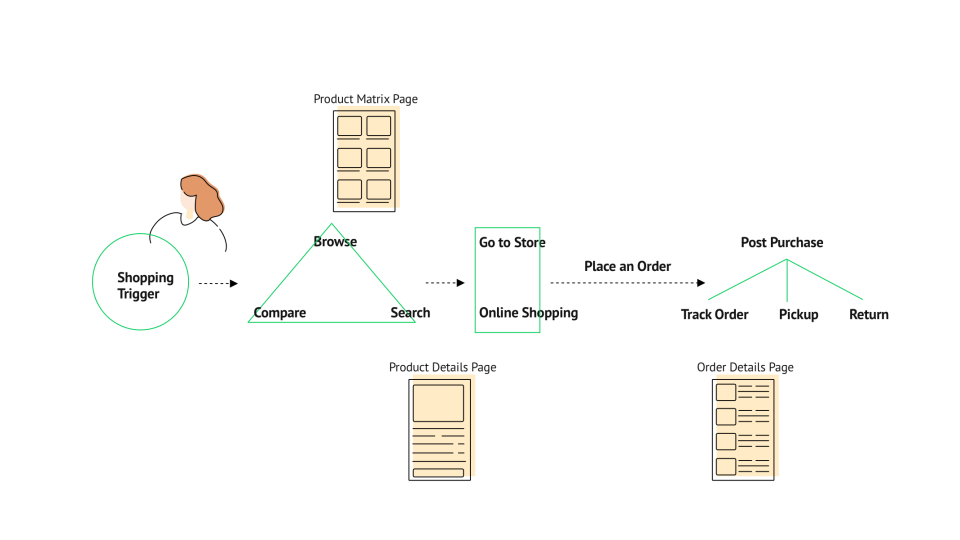
Mapping out the customer journey
With the problem space and business value defined, we stepped back to look at the customer journey and find the key touchpoints during online shopping. The simplified map below shows why we started with three pages. Since this was an omni-channel solution, we designed for both desktop and mobile; I’ve picked three examples from across channels to show how I made design decisions.
Design walkthrough
First stop: browsing
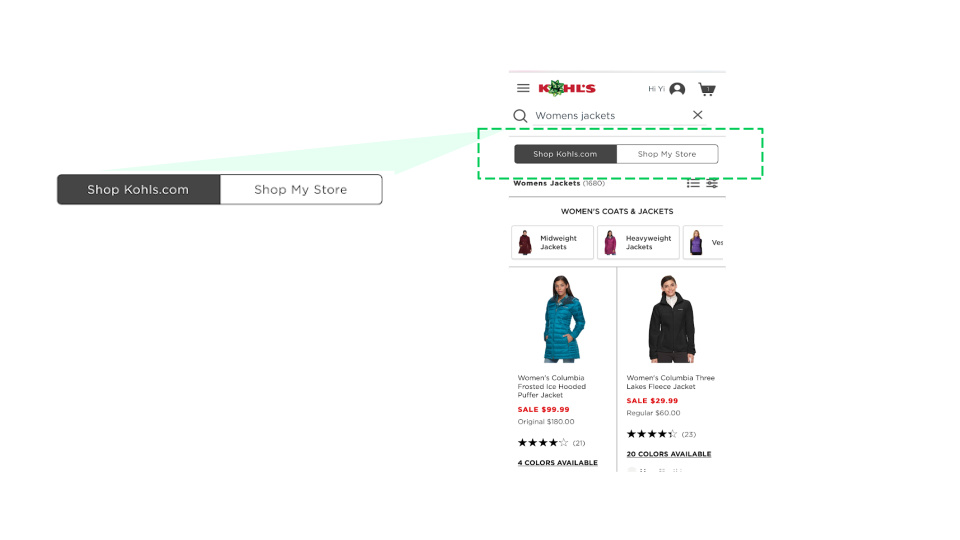
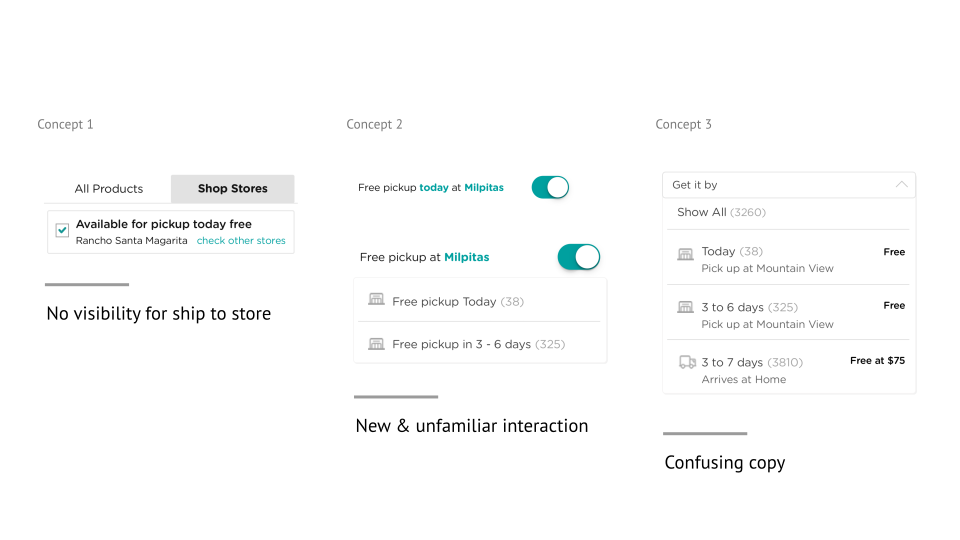
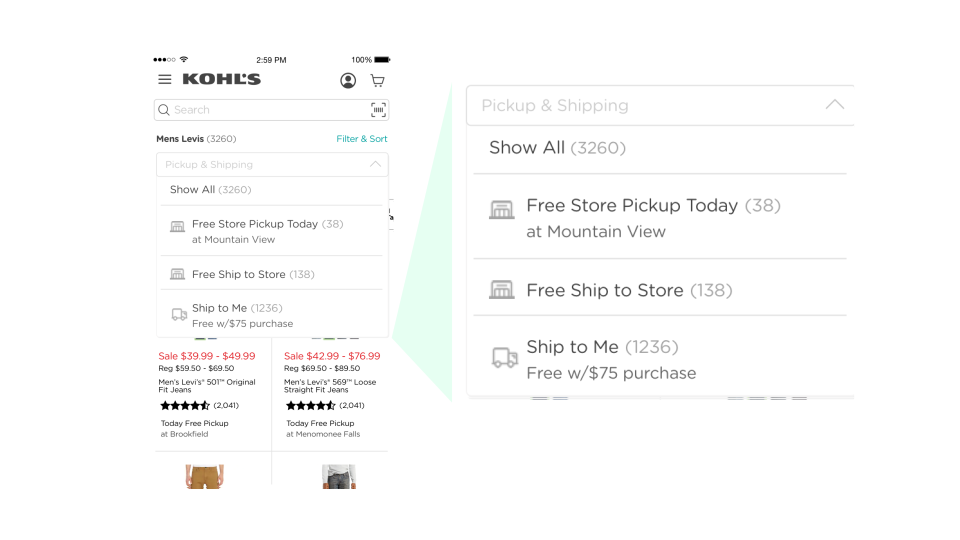
The product matrix page is the first stop when customers consider buying from Kohl’s. The goal was simple: make the service visible from the very beginning, so it can influence purchase decisions.
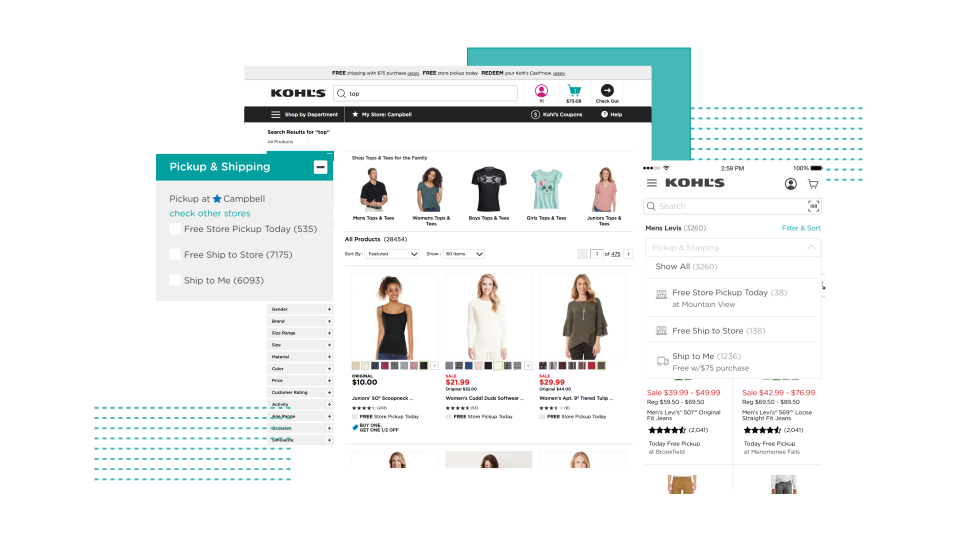
Mobile has the least room, so we first focused on fitting the experience into mobile. We explored rounds of designs and brought customers into the testing lab for feedback.
Design walkthrough
Second stop: choosing where and when
The product details page is where customers decide how and where to get their item. Many Kohl’s customers are older or less tech-savvy — something that’s easy to overlook in Silicon Valley — so every option had to be clear without extra effort. Designing this page was a good exercise in empathy.
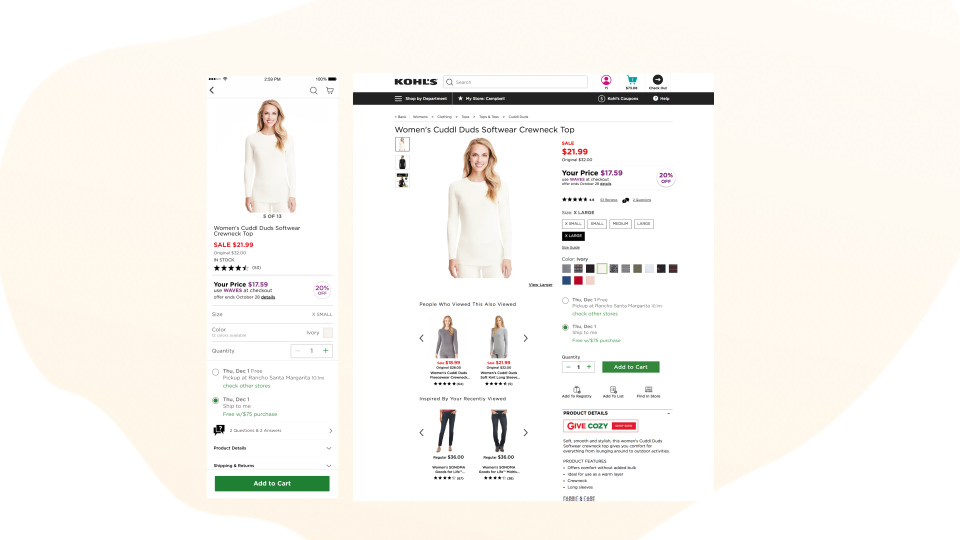
Because of operational constraints, shipping options can’t be shown until a size and color are selected. Instead of disabling “Add to Cart”, we kept it always enabled and opened the size and color panel when needed. In testing, a disabled button made some customers think they’d done something wrong.
Seamless interaction to purchase
- Show “ship to store” once color and size are selected
- Display options as radio buttons
- Keep the call to action always active
The delivery card adapts to how precise the date can be, so customers always know what to expect — even when we can’t promise an exact day:
One date
- Today Free
Pickup at Rancho Santa Margarita 10.1mi
check other stores - Tue, Nov 29 Free
Pickup at Rancho Santa Margarita 10.1mi
check other stores - Thu, Dec 1
Ship to me
Free w/$75 purchase
Date range
- Today Free
Pickup at Rancho Santa Margarita 10.1mi
check other stores - Tue, Nov 29 – Mon, Dec 4 Free
Pickup at Rancho Santa Margarita 10.1mi
check other stores - Tue, Nov 29 – Mon, Dec 4
Ship to me
Free w/$75 purchase
No date
- Today Free
Pickup at Rancho Santa Margarita 10.1mi
check other stores - Ship to Store Free
Pickup at Rancho Santa Margarita 10.1mi
check other stores - Ship to Me
Free w/$75 purchase
Design walkthrough
Last stop: a confirmation that gets them there
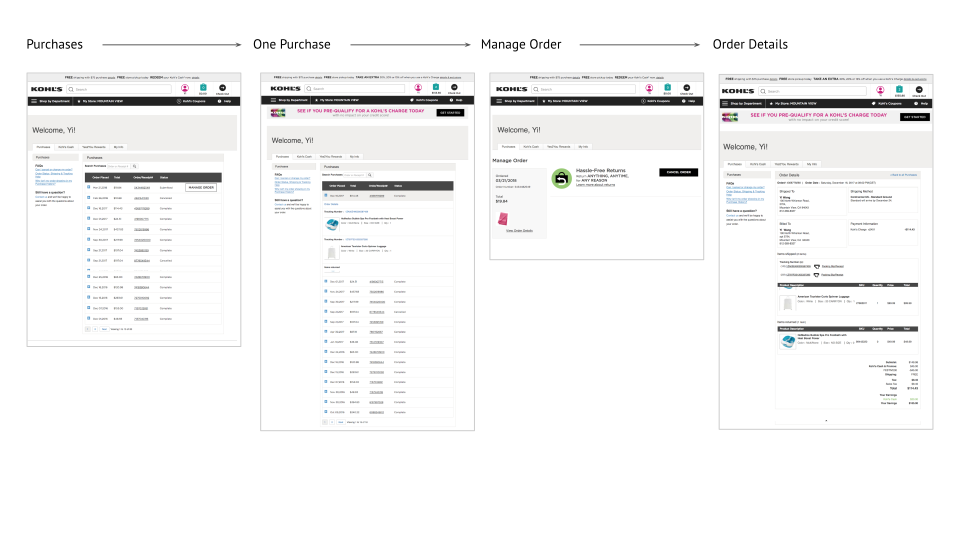
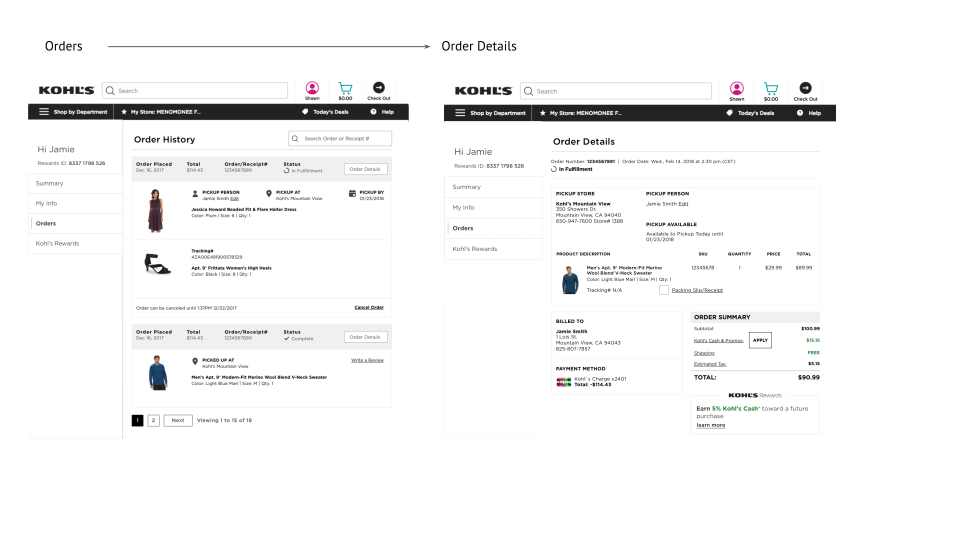
The order details page bridges the online order and the in-person visit. Right after ordering, the details customers need before they leave home are available at a glance, ordered by what they told us matters: where to pick up, when the store is open, and how long the store will hold the package.
Design impact
Win-win for business and customers