Kohl's
In-store self-checkout
Self-checkout for department stores, designed for customers and associates alike.
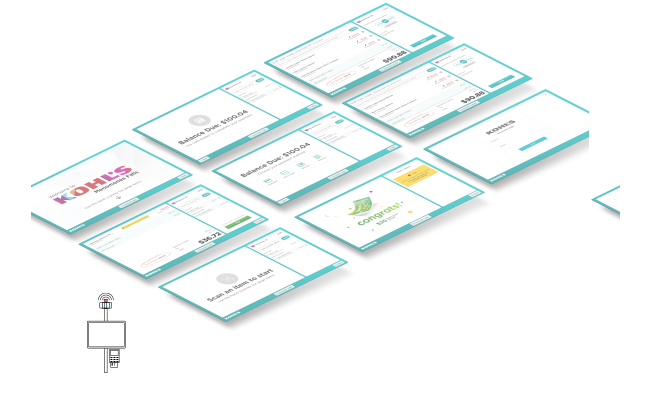
How many times have you been frustrated by long lines in a store? What if you could use self-checkout in a department store, just like at the grocery store?
My role & my team
Orchestrating the whole room
As lead experience designer, I worked closely with customer research, product management and project planning. Together we collaborated with engineering, store operations, business, loss prevention and more to take this experience from idea to launch.
This project pushed my practice beyond screens. Self-checkout isn’t a single app — it’s a monitor, a scanner, a payment terminal, security tags, coupons and physical merchandise working together in a few square feet. A big part of my role was designing how the on-screen flow connects to the hardware and store operations around it.
Design principles
Looking at the core experience
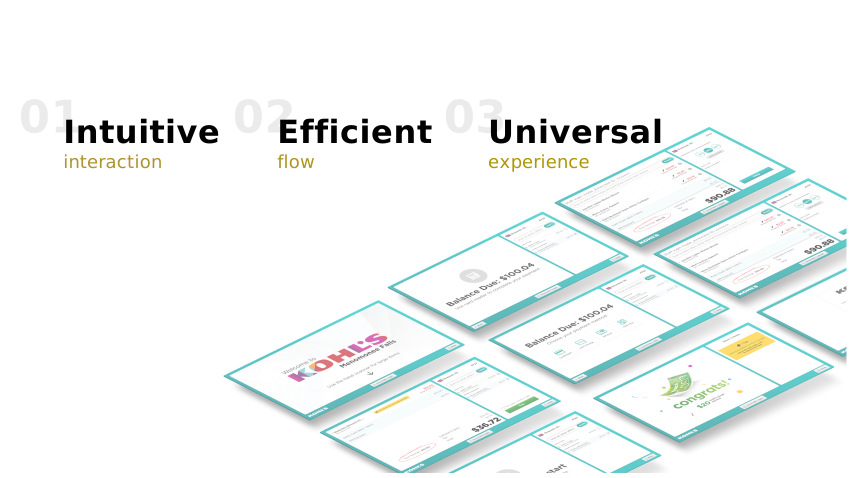
Communication was the hardest part at the start: at least 8 core teams across 2 locations, and — unlike most projects — store-related teams on top of product, research and engineering. To set a good foundation, I first aligned on design expectations by sharing three design principles with core partners and walking through the main flow. It brought everyone on board and set an open tone from day one.
Our research team then surveyed customers about their expectations and concerns. Together with a competitive analysis, it surfaced two main concerns:
- had difficulty finding an associate for help
- 72%
- needed an associate because coupons were hard to apply
- 56%
Overview
Design highlights
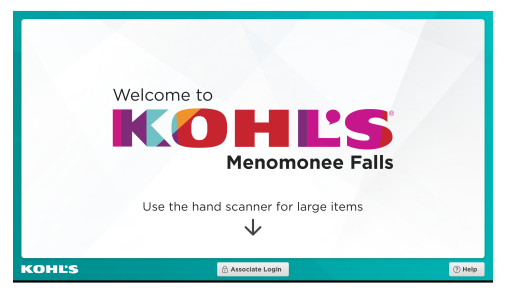
At first glance
A clean, clear start screen so customers can begin scanning right away.
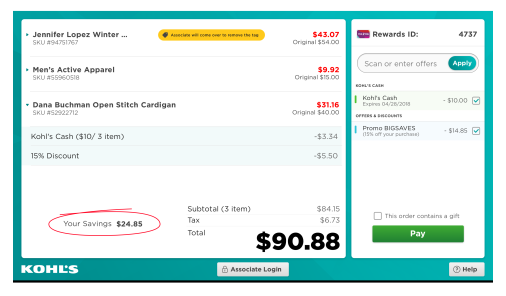
Checking out
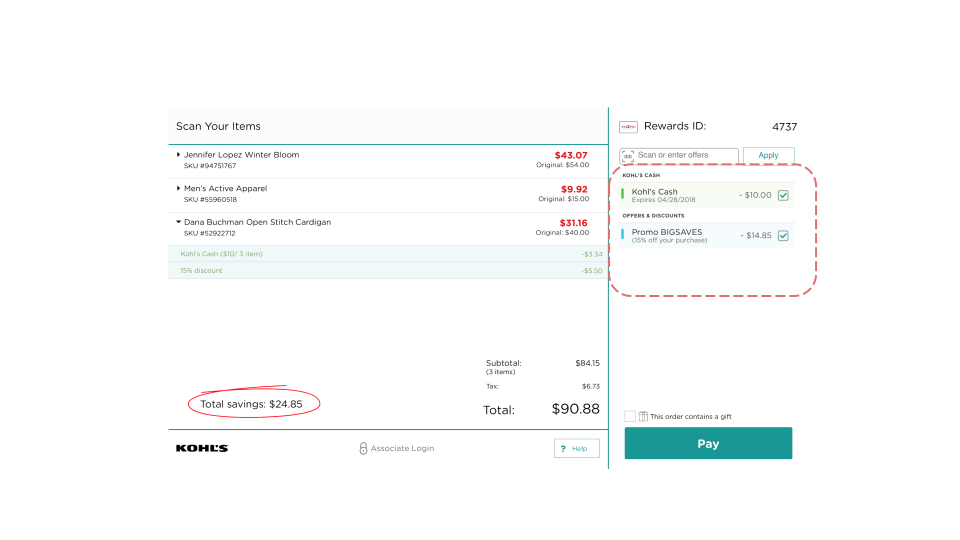
Offers can be applied at any time, with a clear pricing story for a joyful, efficient checkout.
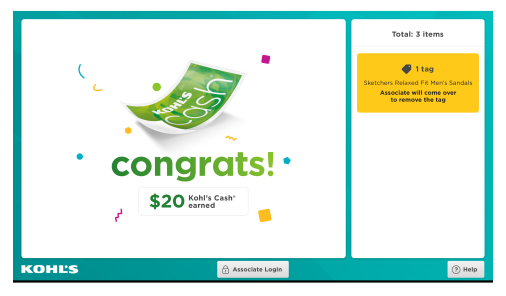
End with a celebration
Celebrate what customers earned at Kohl’s, with a clear summary of their purchase.
Design decisions
When and how to sign in as a rewards member?
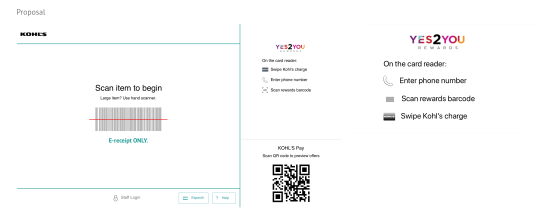
There are three ways customers can identify themselves as rewards members, so early concepts all showed the three methods on a side panel. But lab testing showed that:
- Most customers are used to signing in with a phone number.
- They usually start without looking at the screen — they simply start scanning.
That meant most customers would struggle to apply coupons — the top concern from our early survey. So I re-examined the flow and proposed something different:
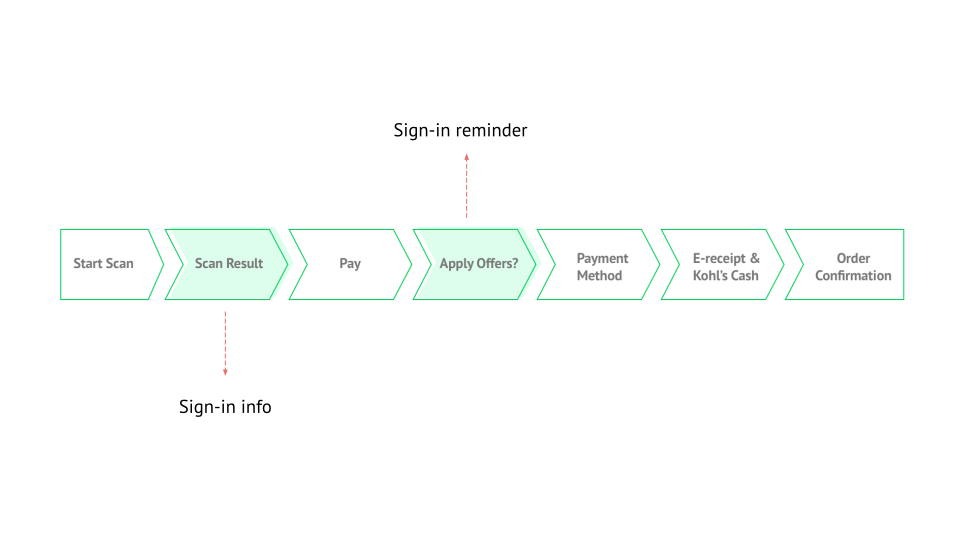
The new design shows sign-in after scanning starts, and reminds customers to apply coupons once they’re ready to pay. Feedback was very positive. It makes sure that:
- Customers can start checking out right away, without too much up front.
- Sign-in is always available while checking out.
- Coupons are surfaced proactively, right before payment.
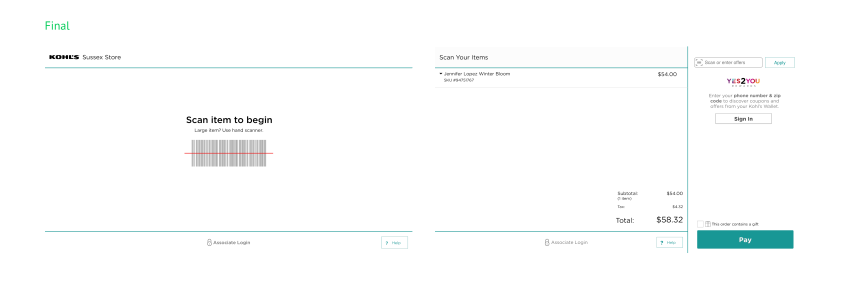
Once signed in, available Kohl’s Cash and coupons appear clearly on the right panel.
Design decisions
Prototyping beyond the screen
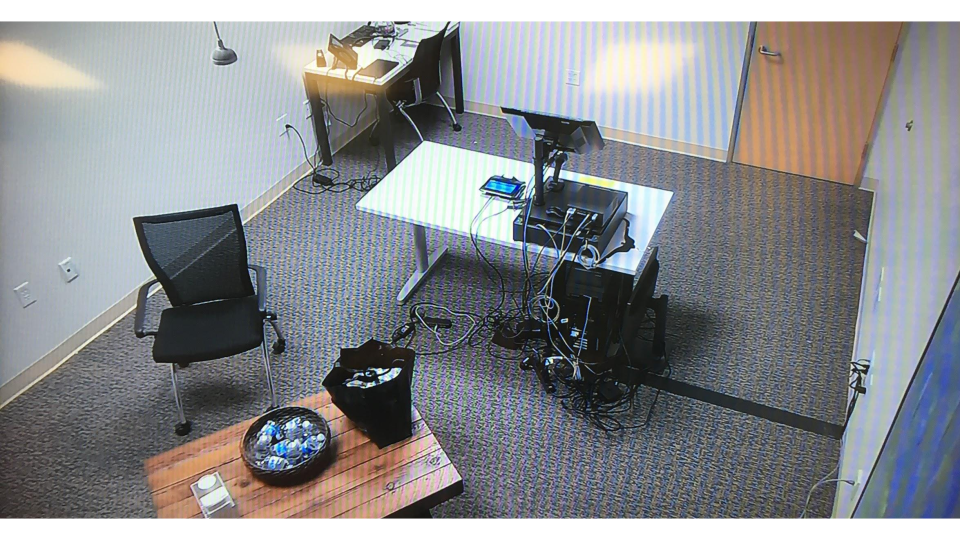
A clickable prototype couldn’t tell us how self-checkout would feel on the sales floor. So I worked with engineering to rebuild the flow on real hardware: the same checkout system and monitor already running in Kohl’s stores, set up in our research lab with an eye-tracking rig. Customers checked out with real merchandise, not a laptop.
The hardest questions weren’t UI questions — they were room questions: where attention goes, what people touch first, and how the screen hands off to a tag reader, a locker or a person. Treating the monitor, scanner, payment terminal and props as one system let us answer department-store questions a grocery self-checkout never has to:
- Clothing racks & security tags — apparel needs its tag deactivated at checkout. We tested where the deactivation pad should sit beside the monitor, and how the screen should prompt customers without breaking their scanning rhythm.
- When to ask for coupons — watching people scan first and look second is what told us coupons belonged right before payment. Only real hardware and real shopping behavior could validate that timing.
- Lockers for secured tech — self-checkout can’t unlock a case. I worked with store associates to scope it out: the tech department keeps its own checkout and tag-removal process for this MVP.
Design decisions
How to clearly show and celebrate earned rewards?
Kohl’s is known for Kohl’s Cash — many customers shop specifically to earn or spend it. But its calculations were the main complaint about self-checkout. I worked closely with marketing to list every Kohl’s Cash scenario and iterated until savings felt easy, clear and delightful.
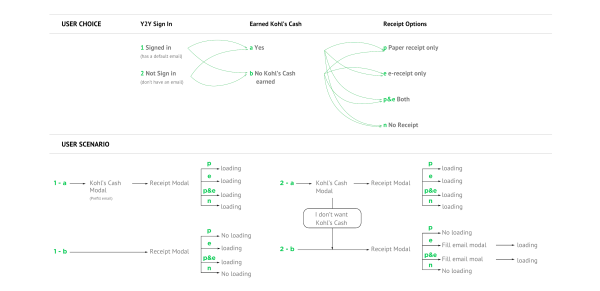
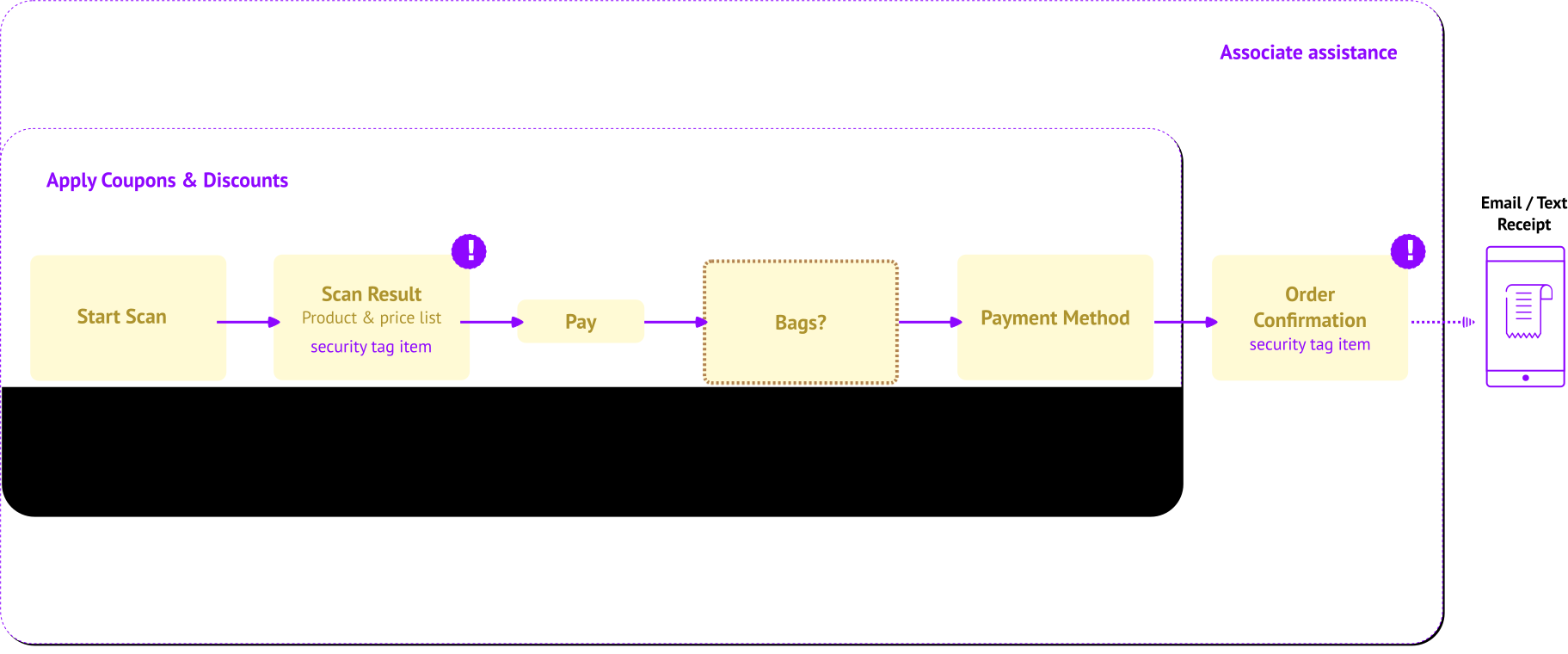
This flow map helped product, engineering and marketing agree on how many scenarios we needed to design, and made it much clearer how to serve customers with different preferences.
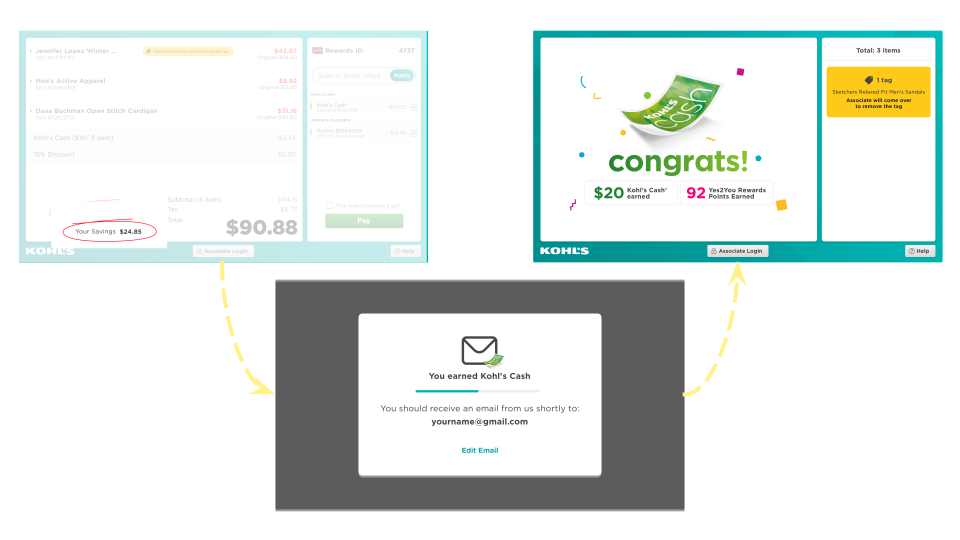
Customers see their savings throughout scanning. When they finish, a dialog tells them how much Kohl’s Cash they earned, and the confirmation screen celebrates it once more.
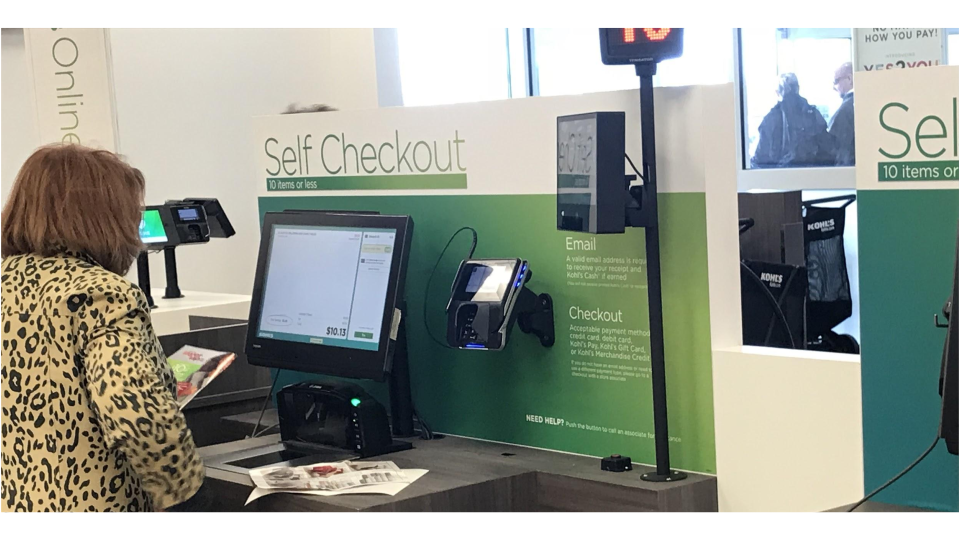
A common scene from the pilot: a customer arrives with all her coupons and wants to be sure she’s maximized them and earned her rewards. During the pilot rollout:
- of customers were likely or very likely to use it again
- 92%
- said checkout was quick or very quick
- 75%