Adobe Acrobat Sign
Adobe Acrobat Sign for Microsoft Teams
Get documents signed without leaving the place your team already collaborates.
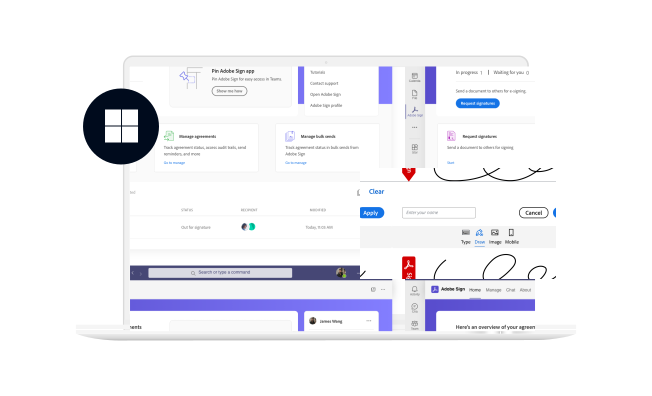
Microsoft launched Teams in 2017 as its business communication platform, bringing chat, video calls and Office files into one place. When the pandemic moved the workplace online, we partnered with Teams to bring Adobe Acrobat Sign in as an eSign solution built right into Teams.
My role
From zero to MVP, and beyond
I led the design conversation from zero to MVP, and continued to support the overall integration product strategy — catching the pandemic train when everyone went online for signatures.
Experience problem
Start from user needs
After auditing the existing experience and working with the research team to identify the fundamental user needs for this add-in, we distilled the key problems the MVP had to address.
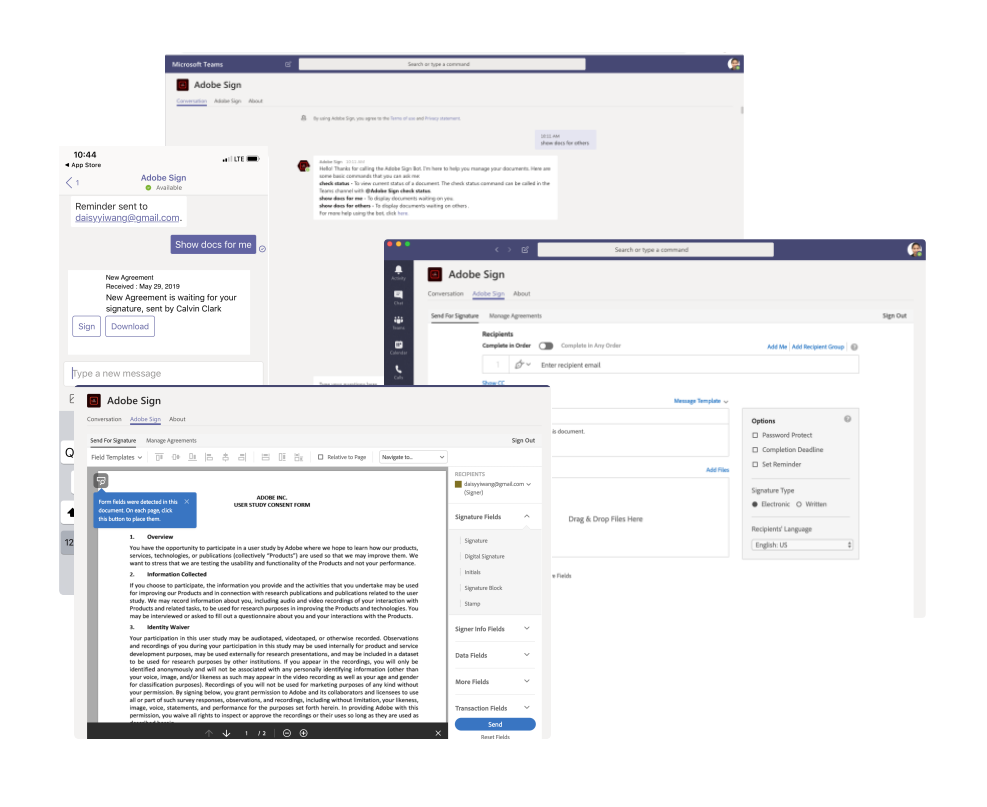
- Defaults to an unfamiliar chat experience
- Missing onboarding or guidance for first-time users
- Lack of consistency with the Acrobat Sign web experience
- Nested tabs and inherent IA issues caused by the iframe
- Not optimized for Microsoft Teams
- Limited mobile support
Design touchpoints
Remove friction first
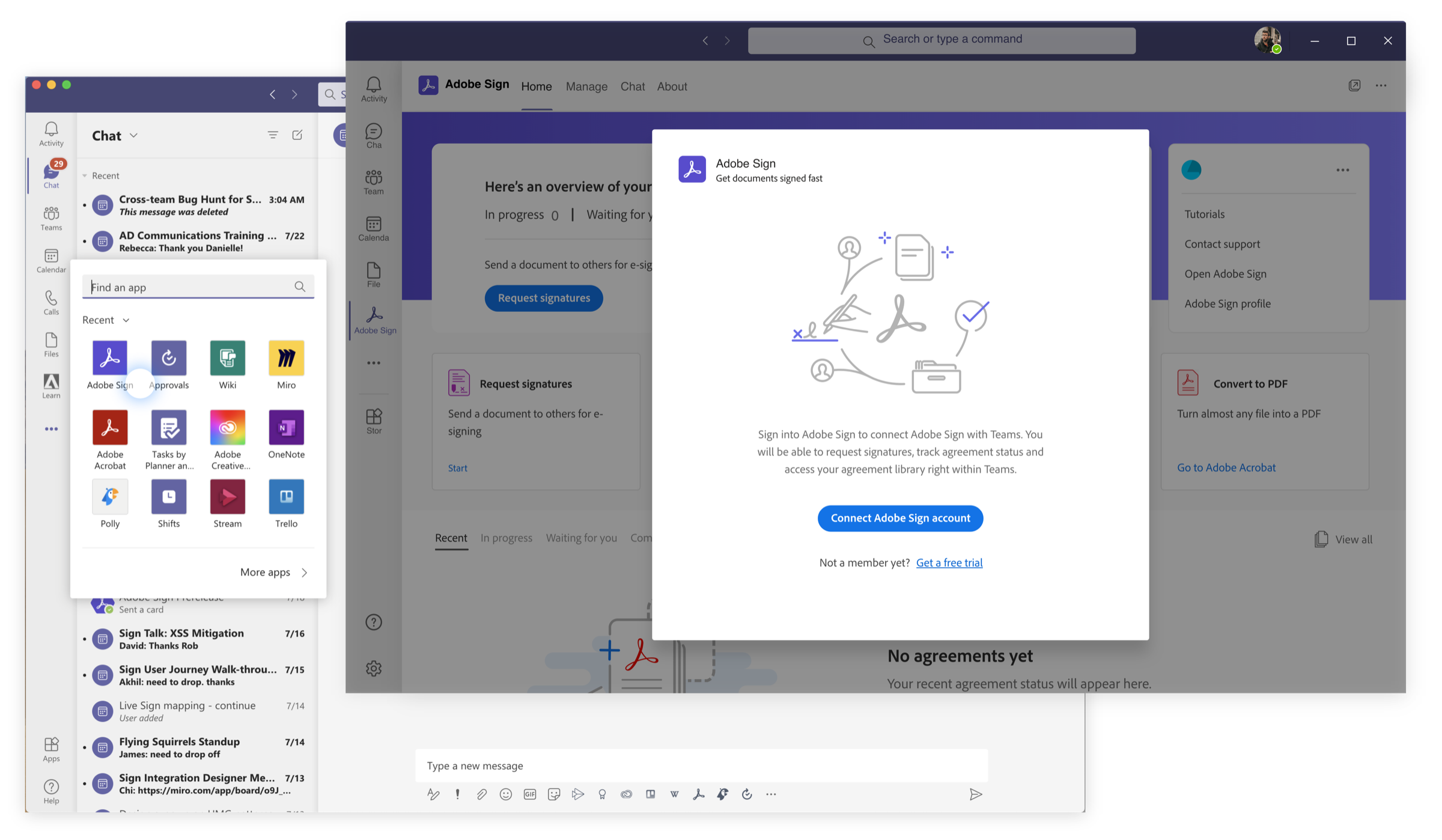
Enable SSO for enterprise users
One piece of feedback we heard again and again was the hassle of signing in multiple times across integrations. Before the full design solution landed, I worked closely with engineering to prioritize SSO for enterprise users.
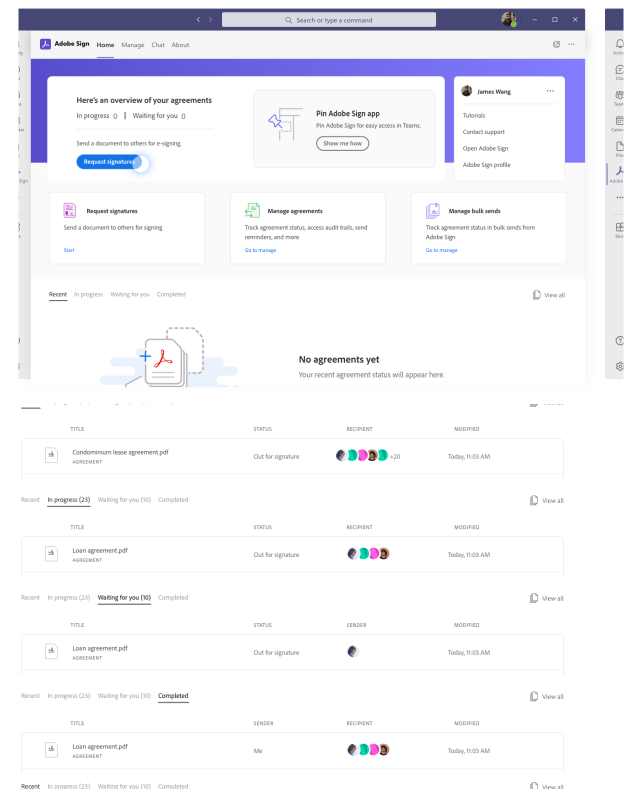
Check agreement status at a glance
In the new home tab, people can check their most recent agreements and act on them directly, instead of being sent to the unfamiliar chat experience.
Information architecture
Simplify the navigation
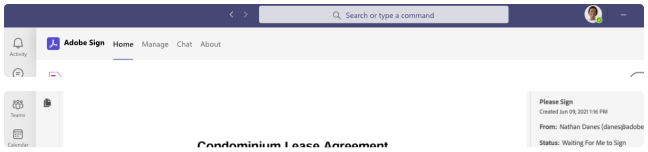
The add-in was first built as a basic iframe, nesting the Acrobat Sign app inside Teams’ own navigation. Simple tasks like requesting a signature could take three or four layers to reach. We worked closely with our Microsoft partners across design, product and engineering to fix this. With the updated proposal, people can move through their current task and backtrack without losing context.

Design with a long-term vision
Establishing the vision while building the MVP
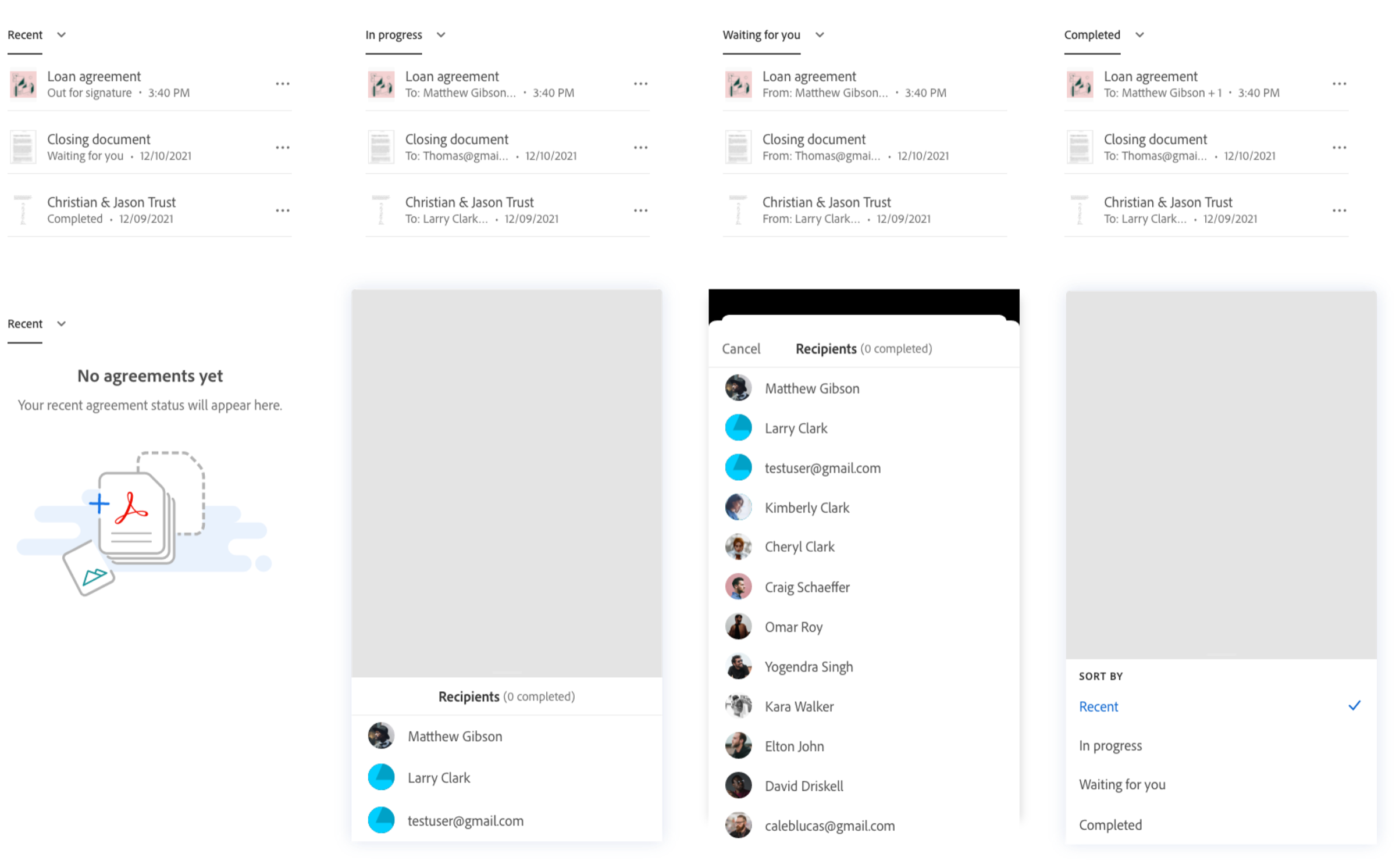
Microsoft Teams opened its mobile experience to integration partners later on. On a smaller screen, people engage differently — especially with critical, time-sensitive agreements, where mobile is the place to monitor signature status and have quick chats. With that in focus, I adjusted the mobile experience to match.
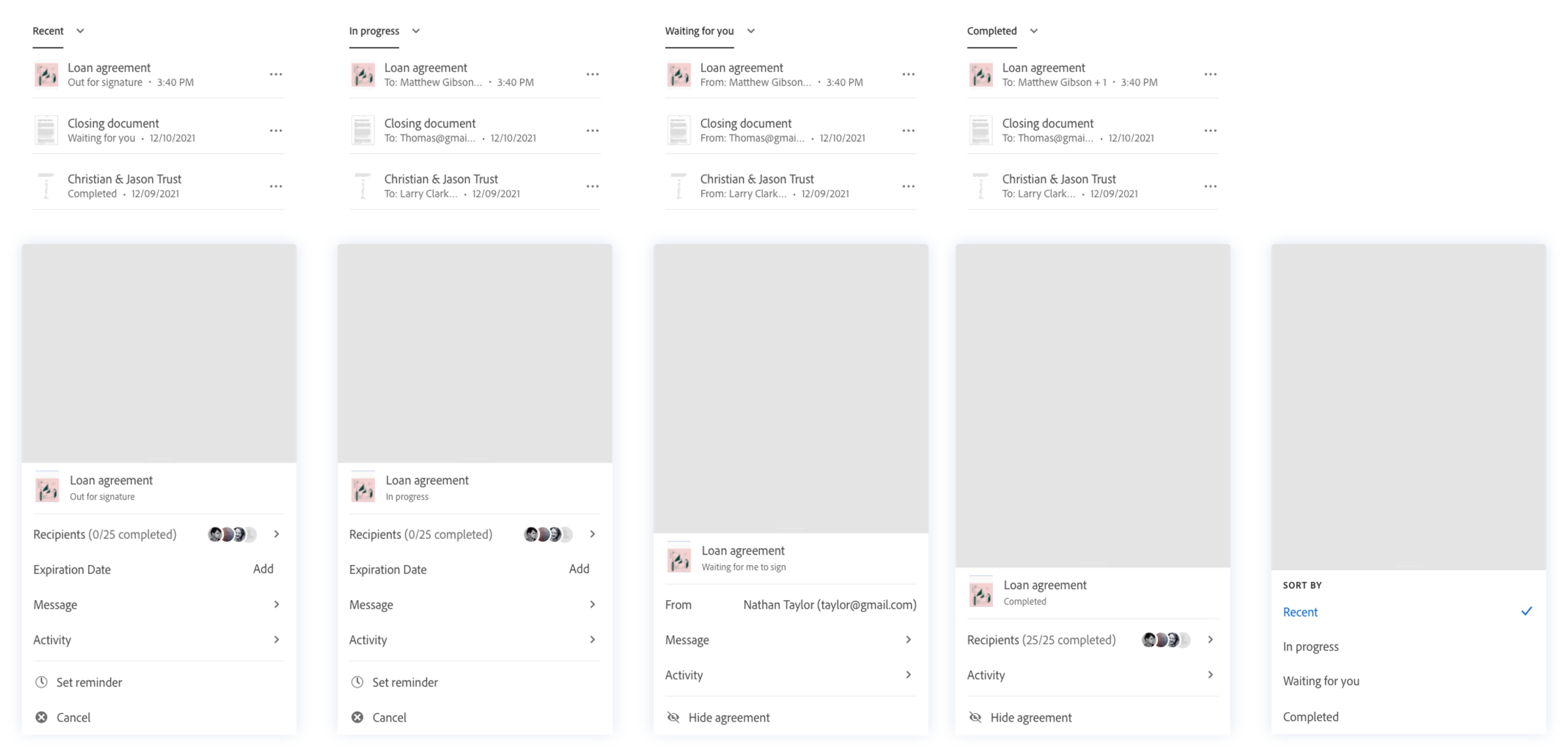
Scalable solution
Responsive framework
Working with engineering, we defined the breakpoints for the experience and provided a UI framework with detailed specs for how each screen flows across sizes.
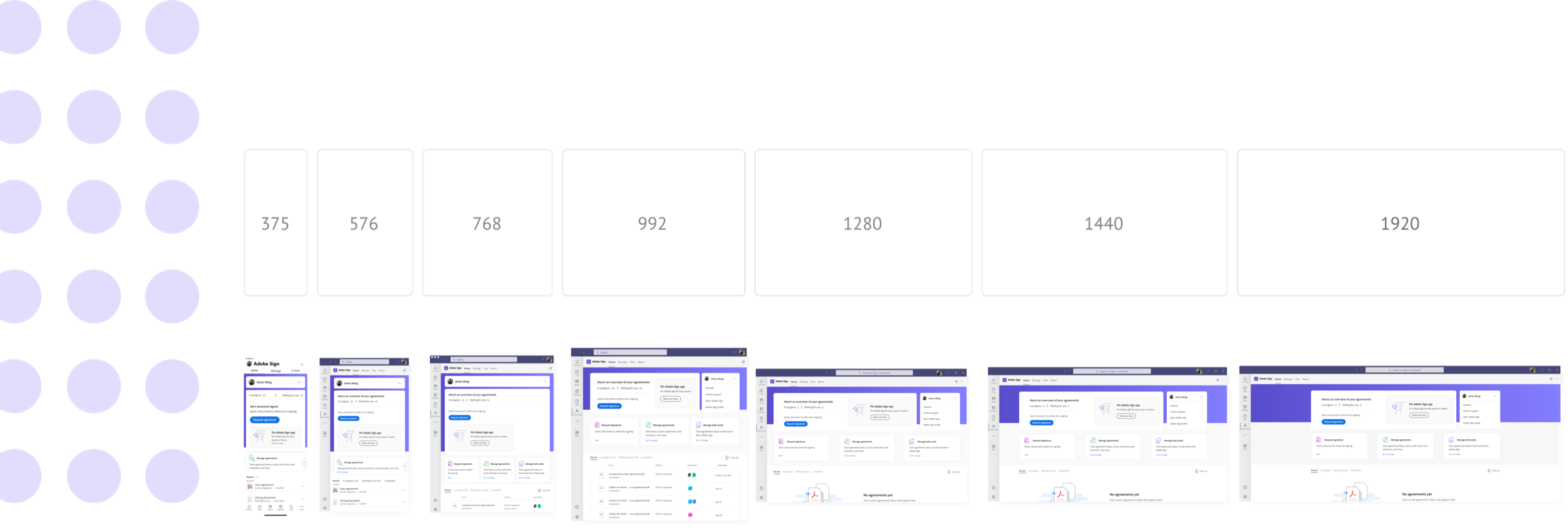
Unique needs
Optimize for the Microsoft Teams use case
While leading this experience, I also collaborated on bringing Acrobat into Microsoft Teams, so the two add-ins would feel like one. We reviewed every available tool and aligned the roadmap with our partners, weighing feasibility, timeline and experience.